
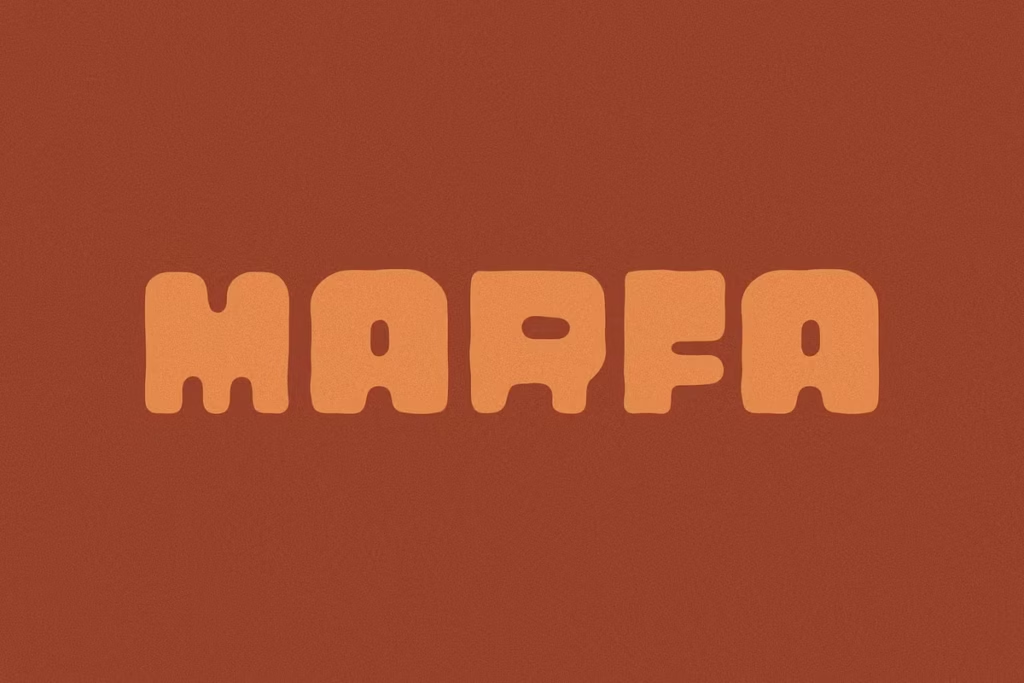
MARFA by Ocotillo Design Studio: Hand-Drawn Retro Typeface for Design
Introducing Marfa: A Hand-Drawn Retro Typeface
Marfa is a really cool font made by Ocotillo Design Studio. It has a fun, handwritten look that’s perfect for adding a retro touch to your designs. This all-caps font is great for making posters, branding materials, and digital content that stands out from the crowd. With its one-of-a-kind style, Marfa helps your work connect with people who are looking for something new and nostalgic. Whether you’re working on a project that needs a little extra personality or just want to add some visual interest, Marfa is a great choice. Its unique, handmade feel makes it perfect for designers who want to create something truly special.
Design Style of Marfa
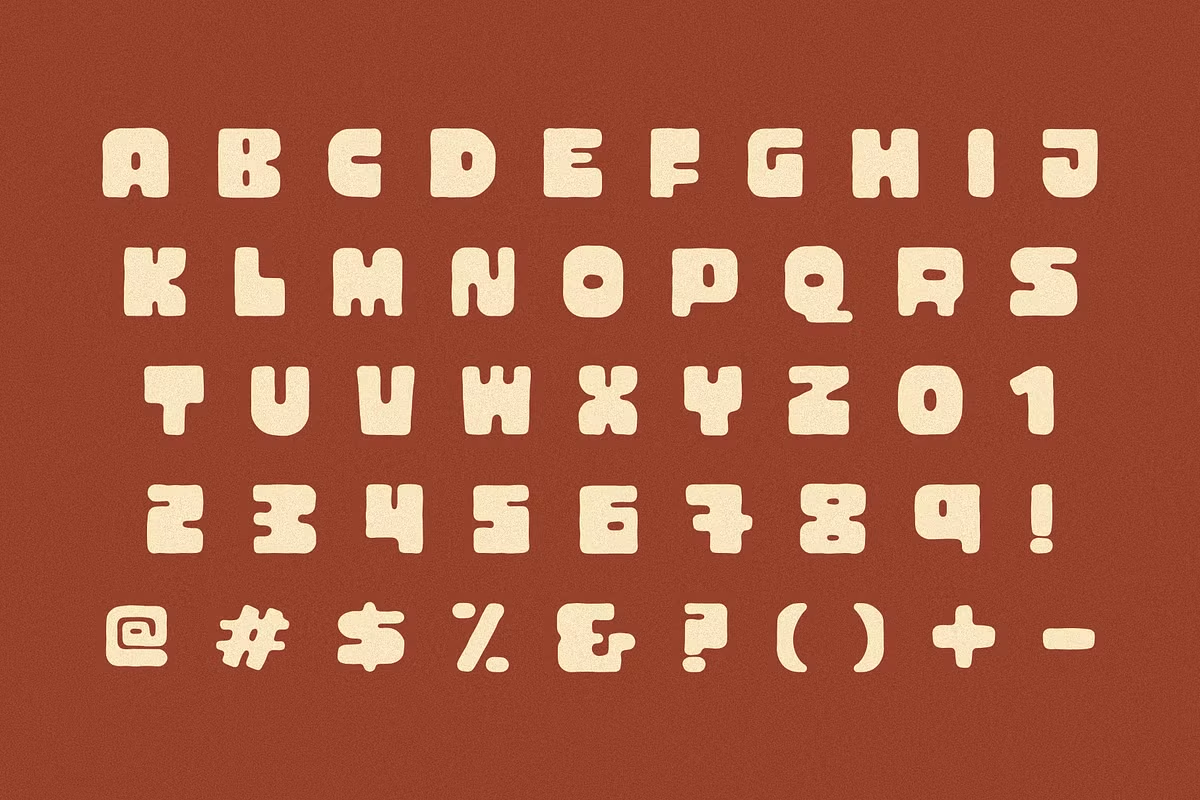
At the heart of Marfa’s appeal is its distinctive design style. The typeface features a playful yet sophisticated character that combines the charm of retro typography with a modern twist. The hand-drawn quality of Marfa gives it a personal touch, making it feel approachable and warm. The curves and lines are intentionally imperfect, reflecting the artistry of traditional type design while also resonating with contemporary aesthetics.
Marfa is a great choice for projects that need a font with a lot of personality. It’s got big, bold lines and letters that are really one-of-a-kind, so it’s sure to grab people’s attention and stick in their minds. The feeling you get from Marfa is playful and carefree, which makes it perfect for brands that want to seem laid-back and friendly. With Marfa, you can add a touch of fun and whimsy to your design, and it’s a great way to show off your brand’s creative side. Whether you’re going for a relaxed, informal look or just want to add some visual interest to your project, Marfa is a great option to consider. Its unique style and bold personality make it a great choice for anyone who wants to stand out and make a lasting impression.
Character Sets and Features
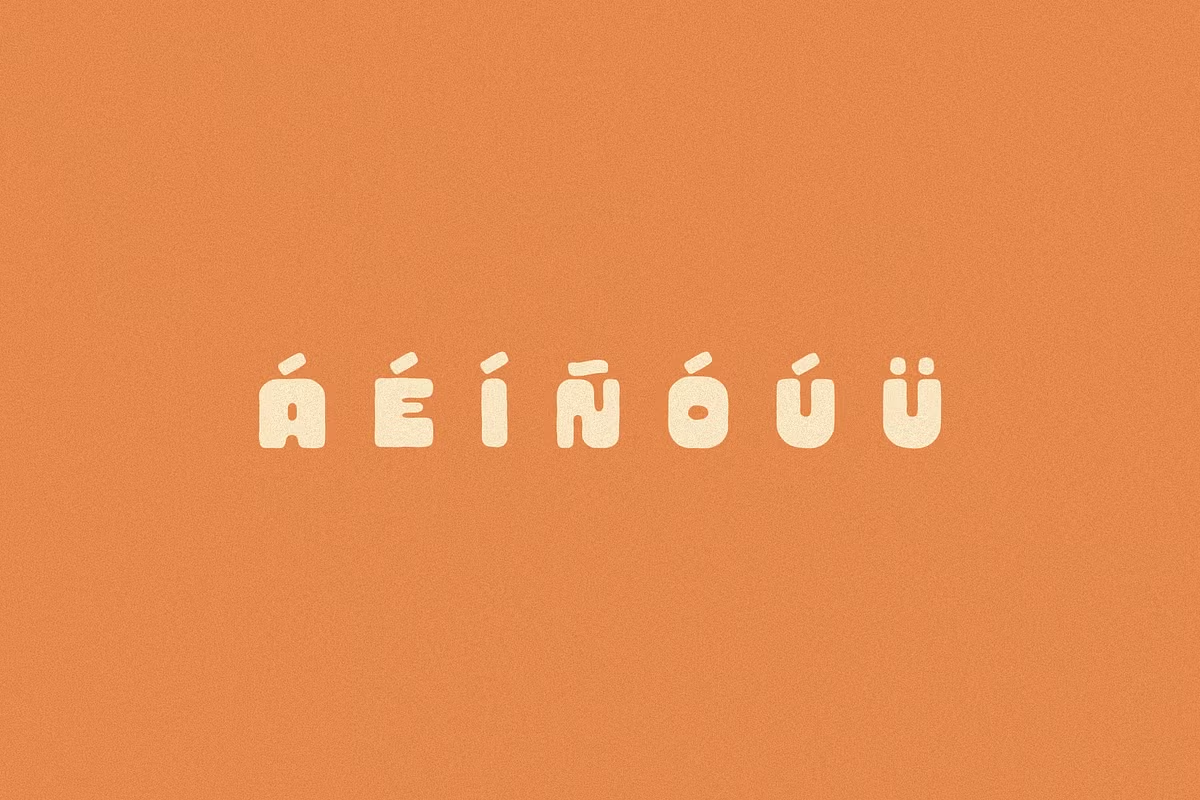
Marfa has a big collection of characters, including letters, numbers, and punctuation marks. This means you can use it in many different design projects, like headlines or body text. The all-caps version is really useful for making a big impact with your text – it’s easy to read and also makes a strong visual statement. You can use it to grab people’s attention and make your message stand out. With Marfa, you have a lot of flexibility to create the look you want, whether you’re working on a big headline or a smaller piece of text. The characters are designed to be clear and easy to read, even when they’re used in a bold, all-caps format. This makes Marfa a great choice for designers who want to add some visual interest to their work.
Marfa also has some extra features that let designers make their text look even more unique. You can pick and choose different letter styles to mix and match, which makes your design look more interesting and personalized. This is really useful when you’re making a logo or a poster, because it lets you be more creative with the letters. By playing around with different letter forms, you can add a special touch to your project and make it stand out.
Use Cases for Marfa
The versatility of Marfa makes it suitable for a variety of design applications. Here are some popular use cases:
- Branding: Marfa can serve as a distinctive logo typeface, helping businesses create a memorable brand identity.
- Posters and Flyers: Its bold and expressive nature makes it perfect for promotional materials that need to grab attention.
- Social Media Graphics: Use Marfa in your digital content to create engaging visuals that resonate with your audience.
- Packaging Design: The unique character of Marfa can enhance product packaging, making it stand out on the shelves.
Each of these use cases benefits from the retro charm of Marfa, enabling designers to convey messages effectively while maintaining an artistic flair.
Pairing Suggestions for Marfa
To maximize the effectiveness of Marfa in your designs, consider pairing it with complementary typefaces. Here are some suggestions:
- Sans Serif Fonts: Match Marfa with clean sans serif fonts like Montserrat or Open Sans for a balanced look. The simplicity of these fonts contrasts nicely with Marfa’s whimsical nature.
- Serif Fonts: Pairing Marfa with a classic serif typeface like Playfair Display can create an elegant juxtaposition, blending modernity with tradition.
- Condensed Fonts: Try pairing Bebas Neue with Marfa – the difference in width creates a nice visual contrast that grabs your attention.
These pairing suggestions allow you to create harmonious designs that leverage the strengths of Marfa while ensuring readability and aesthetic appeal.
Licensing and Availability
When you’re working with Marfa, you need to know about the different ways you can use it. Marfa is something you can buy, and when you do, you get a special license that lets you use it in lots of different design projects. This license is pretty flexible, so you can use Marfa for your own personal projects or for projects you’re doing for clients, which makes it a great choice for people who design things.
Before you start using Marfa, make sure to read the licensing terms carefully. This is important whether you’re working on your own as a freelancer or as part of a bigger design team. Understanding the licensing rules will help you stay out of trouble with the law and let you concentrate on being creative. It’s always a good idea to know what you can and can’t do with a design tool, so take a few minutes to review the terms and conditions. This way, you can use Marfa with confidence and focus on making great designs.
Marfa, created by Ocotillo Design Studio, is not just a typeface – it’s a way to add some personality to your work. The hand-drawn, retro look makes it really special and fun to use. Plus, it has a lot of characters and can be used in many different ways, so you can use it to make your projects stand out. To get the most out of Marfa, try pairing it with other fonts and understand how it can be used – this will help you use it to its full potential and add some style to your message. It’s a great tool for any designer to have, and can really help make your work look great.