
Le Major Font Free Download
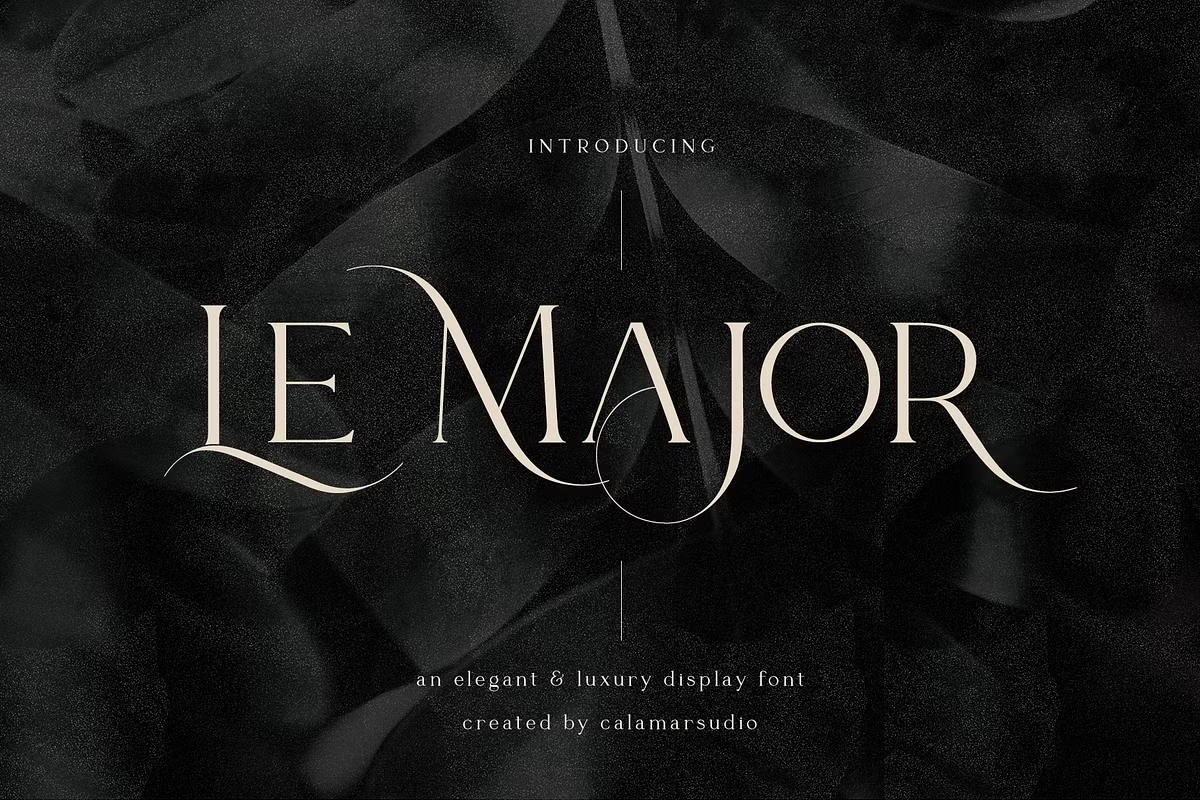
Most people searching for a Le Major free download are after its swash capitals, and the honest answer is that we found no free version from the designer: Le Major is a commercial display serif by Oksana Petrenko of Calamar Studio. One licence buys the full font, including all 387 glyphs and its four stylistic sets.
It is a single-style, all-caps font, so there is only one thing to buy and no weight bundle to choose from. The licensed files we checked include OTF and TTF for desktop apps plus a WOFF web font.
Le Major free download: is there an official version?
Not one we could confirm. MyFonts and Creative Market list only the paid font, and Calamar Studio’s own site, calamarstudio.com, did not load when we checked on 15 October 2026. Some free-font sites post a “demo” file, but we could not trace any of them to the designer, and a file from those sites gives you no right to use the font. We do not link to them.
Where to license it:
- MyFonts: one style, listed from $18, first released there on 1 September 2020.
- Creative Market: sold as “Le Major Display Serif Font”; the price is shown on the listing.
Get Le Major — official listing
Le Major specimen and verified specs
- Styles: 1 (Regular)
- File formats: OTF, TTF, WOFF
- Glyphs: 387
- Language support: Basic Latin (English), Western European
- OpenType features: discretionary ligatures, contextual alternates, stylistic alternates, kerning, 4 stylistic sets
- PUA-encoded extras: 51 glyphs (usable in Canva and Cricut)
- Designer: Oksana Petrenko
- Case: All caps (lowercase keys type capitals)
Checked by tmfonts from the licensed font files.
Plain capitals and swash capitals in one font
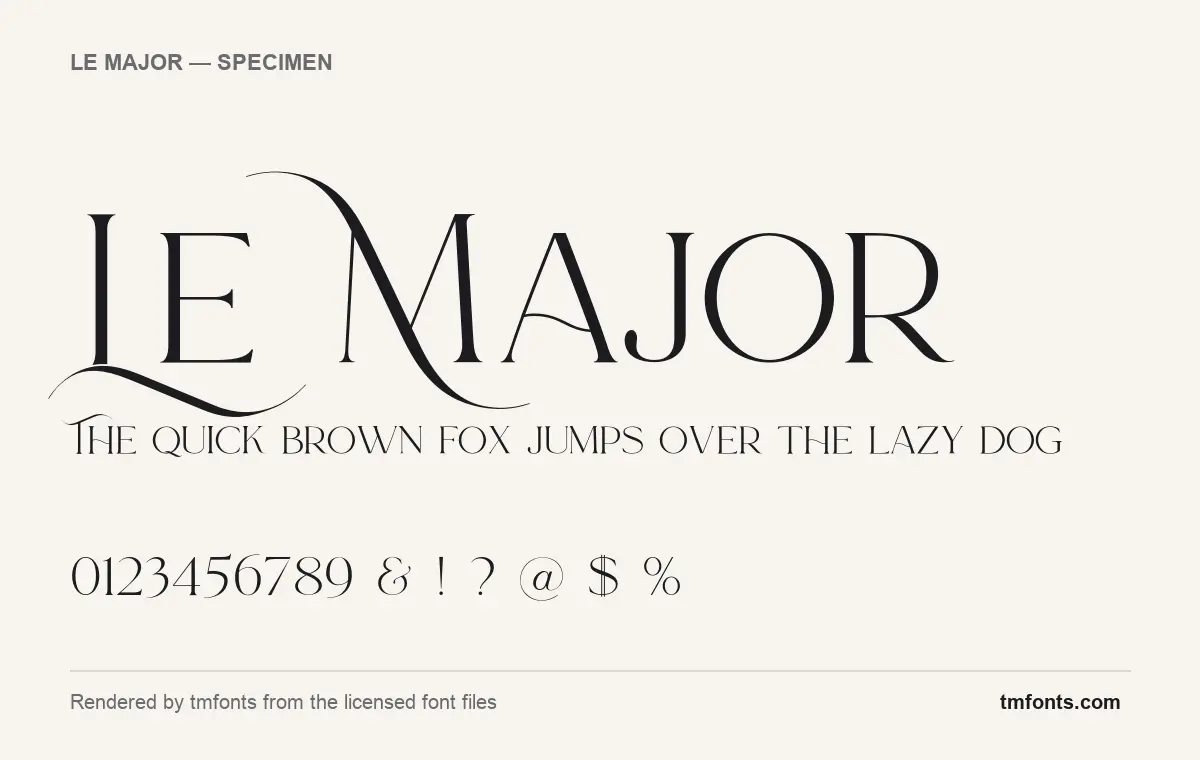
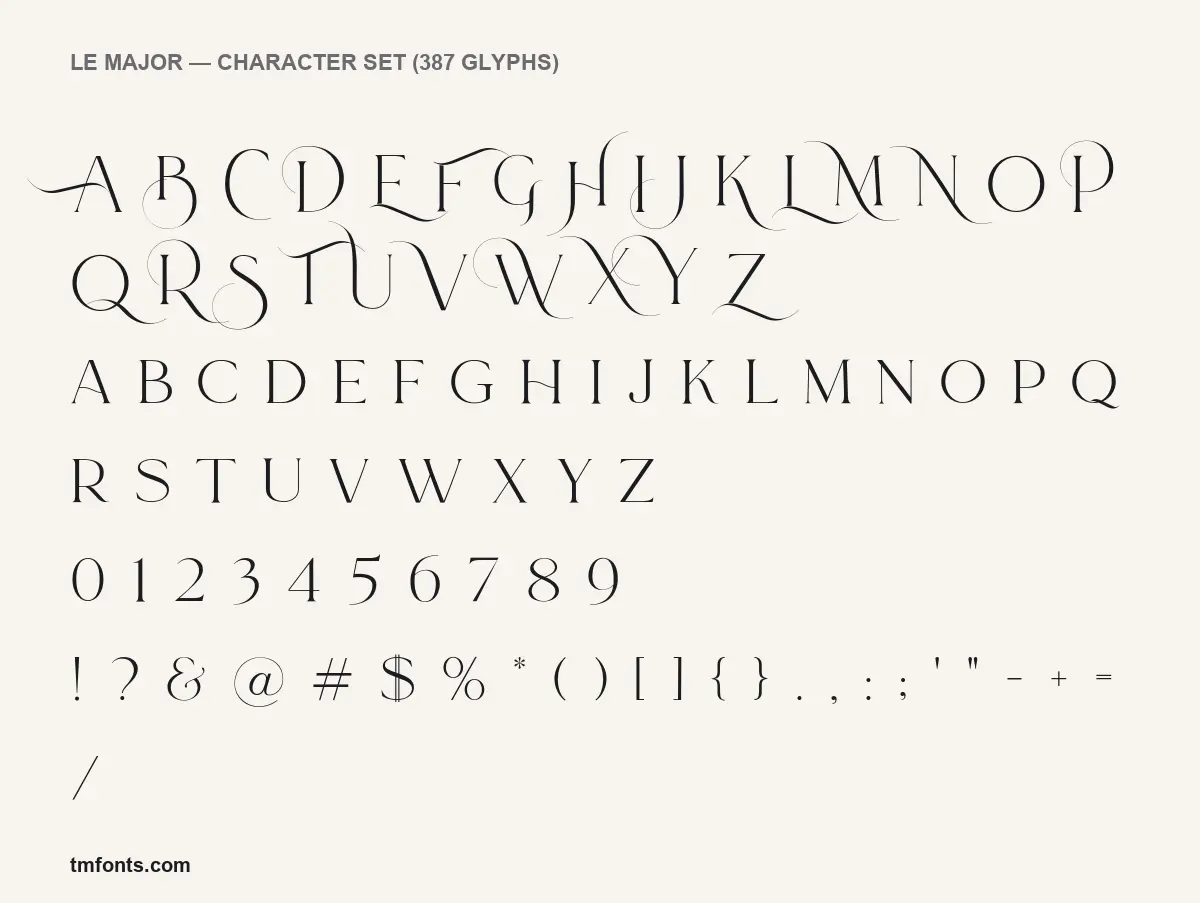
Le Major has no true lowercase. Instead, the keyboard gives you two sets of capitals. In the font file we rendered, the lowercase keys type clean, restrained capitals, and the uppercase keys type swash capitals with long hairline entry strokes, tails and small round loops. The specimen above shows this in action: “Le Major” typed normally gives a swash L whose tail sweeps under the E, a swash M with a long curved stroke rising over the word, and plain A, J, O and R.
So the rule is simple: type in lowercase for an elegant, readable line, and add Shift-key capitals only where you want decoration. One or two swash letters per word looks intentional; a word typed in all capitals turns every letter into a swash.
Design and character
The designer calls Le Major “my new elegant serif font” and aims it at logotypes, branding, wedding monograms, invitations and blog headlines. The letters bear that out. Contrast is high: thick stems, very thin hairlines and small, sharp serifs. A few details give it a distinctive voice:
- The A and H have low, gently curved crossbars instead of straight ones.
- The figures are not all the same height: several, including 3, 5, 7 and 9, drop below the baseline in an old-style way.
- The ampersand uses the old “Et” form, and the @ sits inside a fine hairline circle.
- In the swash set, B, D, P and R carry small circular loops, which gives them a pen-drawn, calligraphic feel.
Because the hairlines are so thin, Le Major needs size. It looks its best as a headline, a logo or a name on a card, not in a caption or a footnote.
What’s in the Le Major package
- One style: Le Major Regular, version 1.000, with Oksana Petrenko named as designer in the file.
- Formats: OTF and TTF for desktop apps, plus WOFF for websites.
- 387 glyphs: plain capitals, swash capitals, figures, punctuation, accented letters and alternates.
Language support and OpenType features
Le Major covers basic Latin for English and the accented characters of Western European languages such as French, Spanish, Italian and German. For a wedding invitation with an “é” or “ñ” in a name, that matters.
The font carries more OpenType features than most display serifs:
- Kerning: automatic spacing fixes between letter pairs. Works almost everywhere.
- Contextual alternates: the font swaps in a different version of a letter depending on its neighbours. On by default in apps that support it.
- Discretionary ligatures: decorative joined letters that stay off until you switch them on.
- Stylistic alternates and four stylistic sets: alternate shapes you can apply one at a time or as a group.
To use them, you need an OpenType-aware app: Illustrator and InDesign (OpenType panel or Glyphs panel), Photoshop (Properties panel), Affinity Designer, or Figma. Microsoft Word on Windows also lets you pick stylistic sets under Font, Advanced.
Canva and Cricut Design Space ignore those features, but Le Major also places 51 characters in the Private Use Area (PUA). Open Character Map on Windows or Font Book on a Mac, find the extra glyphs, copy one and paste it into your text box. The swash capitals are already on the uppercase keys, so they work in Canva and Cricut without that step.
Best uses and font pairings
- Wedding monograms and invitation names
- Logotypes for beauty, fashion, jewellery or interior brands
- Magazine-style headlines and blog titles
- Labels for candles, perfume and wine
Le Major needs a lowercase partner for anything longer than a line. EB Garamond keeps the classical tone for paragraphs. For a modern contrast, set supporting text in a simple sans such as Work Sans or Josefin Sans, small and slightly spaced.
Licensing: personal vs commercial use
Buying from MyFonts or Creative Market gets you that store’s licence. Desktop licences normally cover logos, print and social graphics; web embedding with the WOFF file, apps and large merchandise runs may need a different licence. Check the terms attached to your purchase, and contact the designer about anything unusual. This is general information, not legal advice.
How to install Le Major
- Windows: after you download Le Major, unzip it, right-click LeMajor-Regular.otf and choose Install.
- Mac: double-click the OTF file and press Install in Font Book.
Use the OTF or the TTF, not both. The WOFF file is for websites and does not need installing.
Free alternatives to Le Major
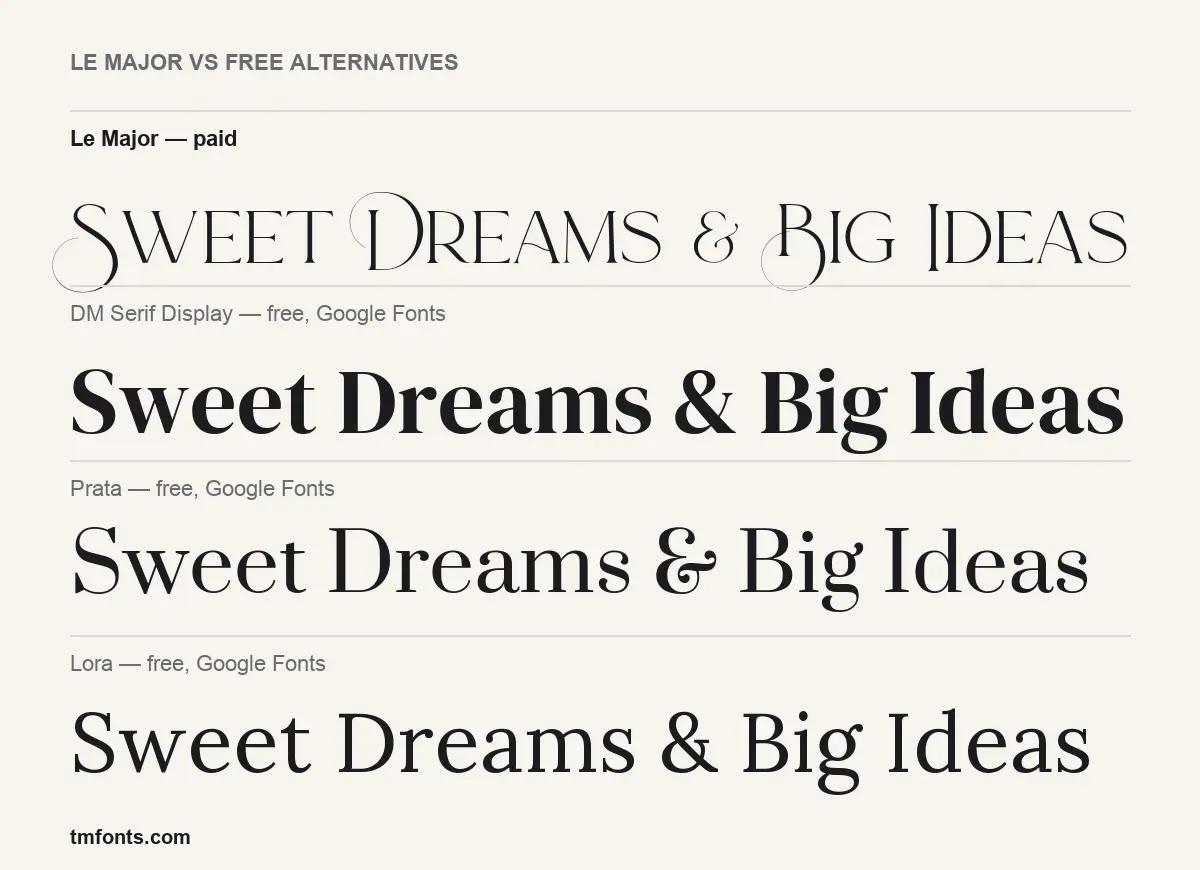
If a Le Major free download is not an option, these Google Fonts are free for any use. None has swash capitals.
- DM Serif Display: much heavier, with high contrast and a full lowercase. It shouts where Le Major whispers.
- Prata: the closest in spirit, a slender, high-contrast serif that looks refined at headline sizes, though its capitals are plainer.
- Lora: a calmer, lower-contrast serif for reading. Pair it with a display font rather than using it as one.
Le Major FAQ
Is Le Major free?
No. It is a paid font from Calamar Studio, listed on MyFonts from $18. We found no official free version, so a Le Major free download from an aggregator site is unlicensed.
Can I use Le Major for a logo?
Yes, with a licence. The designer specifically suggests it for logotypes and branding. Check that your licence covers logo use.
Does Le Major have lowercase letters?
No. Lowercase keys type plain capitals and uppercase keys type swash capitals.
Does Le Major work in Canva or Cricut?
Yes. Upload or install the OTF. Swash capitals type normally; PUA extras can be pasted in from Character Map or Font Book.
Who designed Le Major?
Oksana Petrenko of Calamar Studio.

Tmfonts writes independent reviews of typefaces: what each font does well, where it falls short, what it suits, and where it is sold.