
La Luxes Serif Pro 12 Font Family Free Download
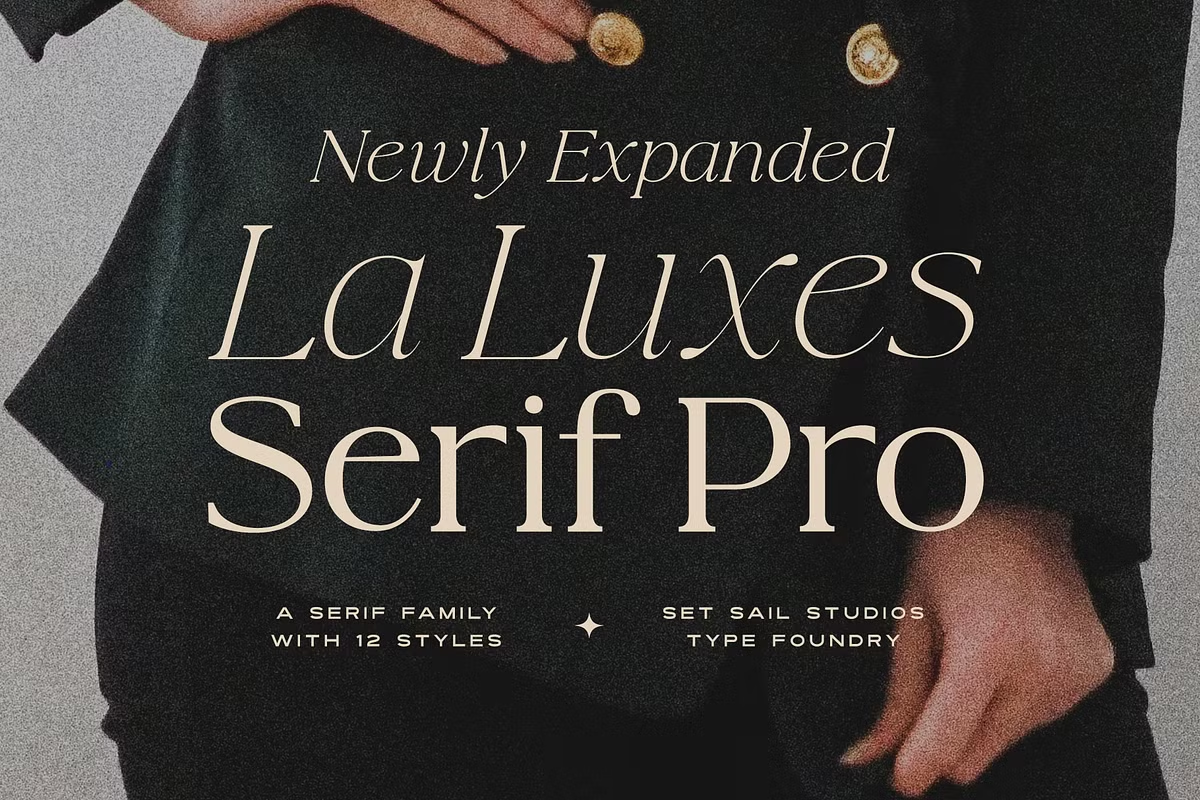
There is no official La Luxes Serif Pro 12 Font Family free download. Set Sail Studios sells the twelve-style family as a paid product, and neither the foundry’s own shop nor its Creative Market listing offers a demo, so the only legitimate way to get it is a licence, from $69.
La Luxes Serif Pro 12 Font Family free download: where things stand
Set Sail Studios has a free-fonts section on its website, and La Luxes Serif Pro is not in it. The product page on setsailstudios.com and the Creative Market listing, created 7 January 2025, both sell licences only. A complete copy offered free on another site is not an official release and carries no licence.
According to the listings, a licence gets you:
- 12 fonts: six weights, each with an italic
- Ligatures through the Discretionary Ligatures feature, and raised small caps through Stylistic Alternates
- PUA encoding, so extra characters can be pasted into apps such as Canva
- Support for 17 languages
Prices when we checked in October 2026: the Standard License on the Set Sail shop was $69, and a Desktop licence on Creative Market was $69 per seat. Set Sail also sells a $79 bundle that adds the original La Luxes Font Duo with ten logo templates.
Get La Luxes Serif Pro 12 Font Family — official listing
La Luxes Serif Pro 12 Font Family specimen and verified specs
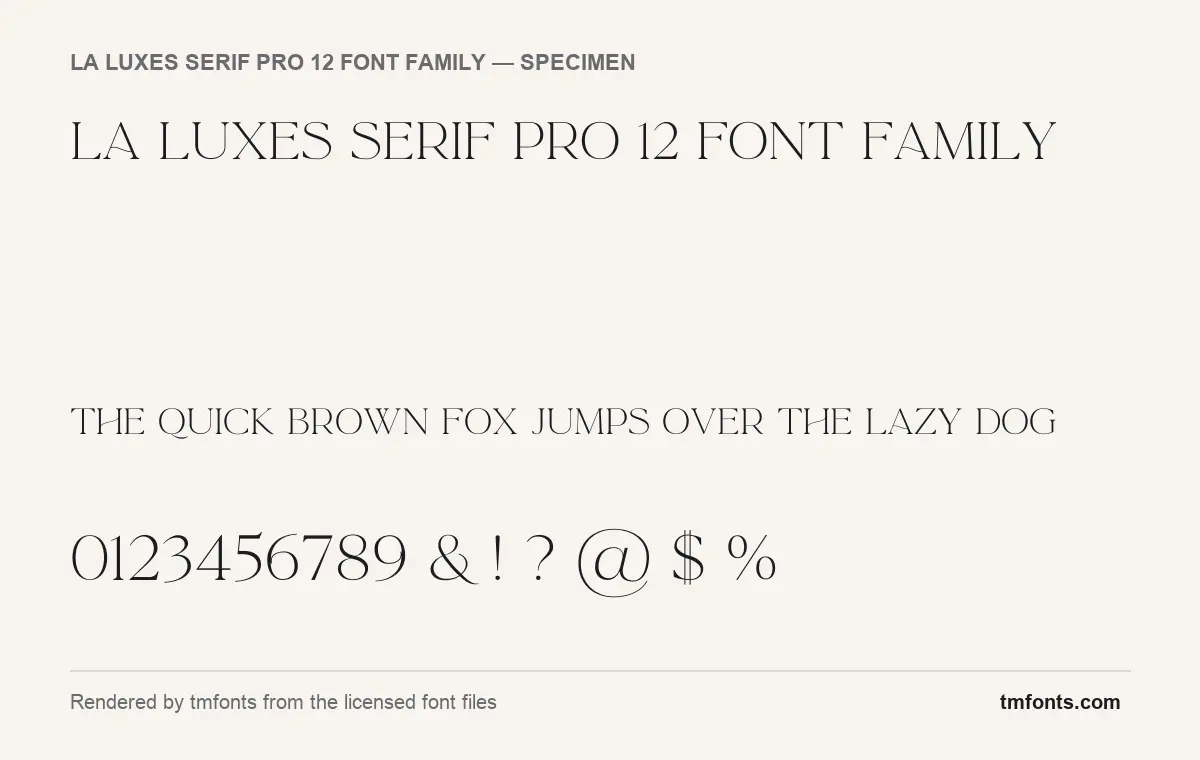
- Styles: 2 (Script, Serif)
- File formats: OTF
- Glyphs: 333
- Language support: Basic Latin (English), Western European
- OpenType features: standard ligatures, stylistic alternates, kerning
- PUA-encoded extras: 1 glyphs (usable in Canva and Cricut)
- Designer: Set Sail Studios
- Case: All caps (lowercase keys type capitals)
Checked by tmfonts from the licensed font files.
What the La Luxes letters look like
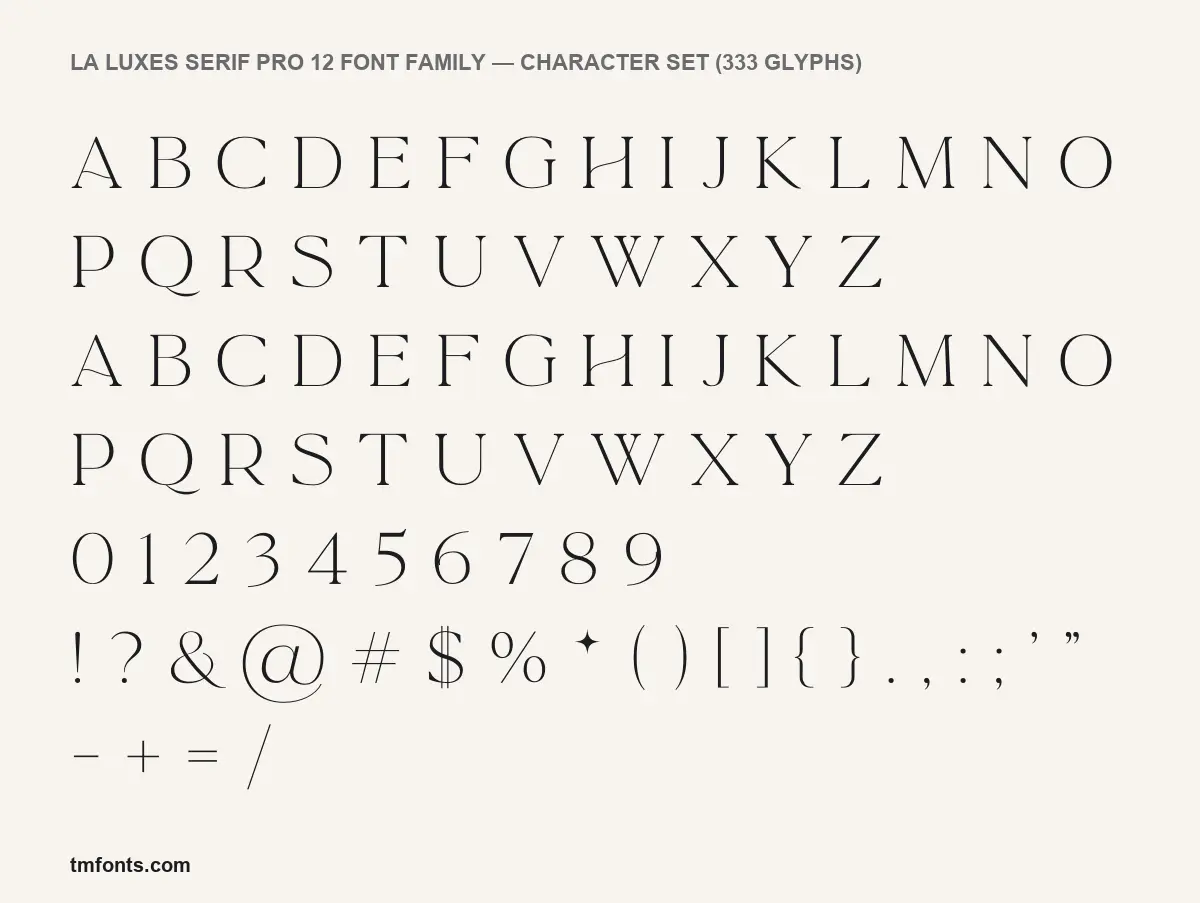
Set Sail describes Serif Pro as an expanded version of its best-selling La Luxes Serif, turned into a full family for logos, headlines and branding. One thing to be clear about first: the licensed files we hold are the original La Luxes Serif Regular and La Luxes Script Regular, supplied as web fonts, not the twelve Pro styles. Our specimens were rendered from that Serif Regular, so read them as a preview of the design the Pro family grows from.
The Serif is a light, high-contrast face with fine hairlines and small, sharp serifs. Its personality sits in a handful of letters:
- The crossbar of the H is a gentle curve instead of a straight bar.
- The thin left stroke of the A bows slightly, so the letter looks drawn by hand rather than ruled.
- The Q ends in a long tail that sweeps well past the letter’s right side.
- The W is built from two overlapping V shapes, and the R ends in a long, straight leg.
In these files the lowercase keys produce capitals, so everything sets in caps. We haven’t seen the Pro styles, so if you need lowercase, check the previews on the listing before buying.
What’s in the La Luxes Serif Pro download
- Styles (listing): 12 fonts, six weights each with an italic. Set Sail’s pages don’t name the weights, and third-party descriptions disagree, so we leave the names out.
- Formats (listing): OTF or TTF for desktop, with web fonts listed on Creative Market.
- Our files: La Luxes Serif Regular and La Luxes Script Regular, version 1.00, credited to Set Sail Studios. The Serif holds 333 glyphs. MyFonts names Sam Parrett as the designer.
- Extras: the Pro family on its own lists no templates. The ten logo templates come with the La Luxes Font Duo and the $79 bundle.
Languages, ligatures and the PUA trick
Our files cover Basic Latin and Western European characters. The Serif Pro product page lists 17 languages: English, French, Italian, Spanish, Portuguese, German, Swedish, Norwegian, Danish, Dutch, Finnish, Indonesian, Malay, Hungarian, Polish, Turkish and Slovenian.
The Serif we rendered has three OpenType features:
- Kerning tidies the space between letter pairs and works automatically in almost every app.
- Ligatures replace certain letter pairs with a single joined design. In our files they are tagged as standard ligatures, which Adobe and Affinity apps switch on by default. The listing says the Pro family puts its ligatures under Discretionary Ligatures, which you turn on yourself in the OpenType or Typography panel.
- Stylistic alternates swap in a different version of a letter; the listing says this is how you reach the raised small caps.
Canva and Cricut Design Space have no OpenType controls. The workaround is the Private Use Area: characters stored there can be copied from Character Map on Windows or Character Viewer on a Mac and pasted into those apps. Our files map just one character to the PUA, while the listing says the Pro family is PUA-encoded for its ligatures.
Where it fits, and pairing ideas
The fine hairlines and round capitals point to jewellery and bridal brands, skincare and perfume labels, boutique hotel menus and fashion-style magazine headers. The listing says the bolder Pro weights take headlines and promotional material, while the light weights suit delicate invitations. Keep the lightest styles large; thin hairlines fade at small print sizes.
Three partners to try:
- La Luxes Script, the original partner, for a signature-style accent word.
- Mulish, a clean sans for body copy and contact details.
- Spectral, a calm serif for longer reading beneath a La Luxes heading.
Licence choices: personal, commercial, web
On its contact page, Set Sail Studios says the Standard License covers commercial print and digital projects, including logos, as long as the end product is flattened and uneditable. On a website, that means the font may appear only as an image. Live web text needs a Web licence, priced by monthly views, and App, ePub and Editable Template licences cover those uses. Creative Market sells its own Desktop, Webfont, E-pub and App licences under separate terms, so read the terms of the store you buy from. This is general information, not legal advice.
Installing La Luxes Serif Pro
After you download La Luxes Serif Pro from the official shop, unzip it and pick one format, OTF or TTF.
- Windows: select all twelve files, right-click and choose Install.
- Mac: open the files in Font Book and click Install.
Crimson Pro, Playfair Display and Cormorant Garamond as free substitutes
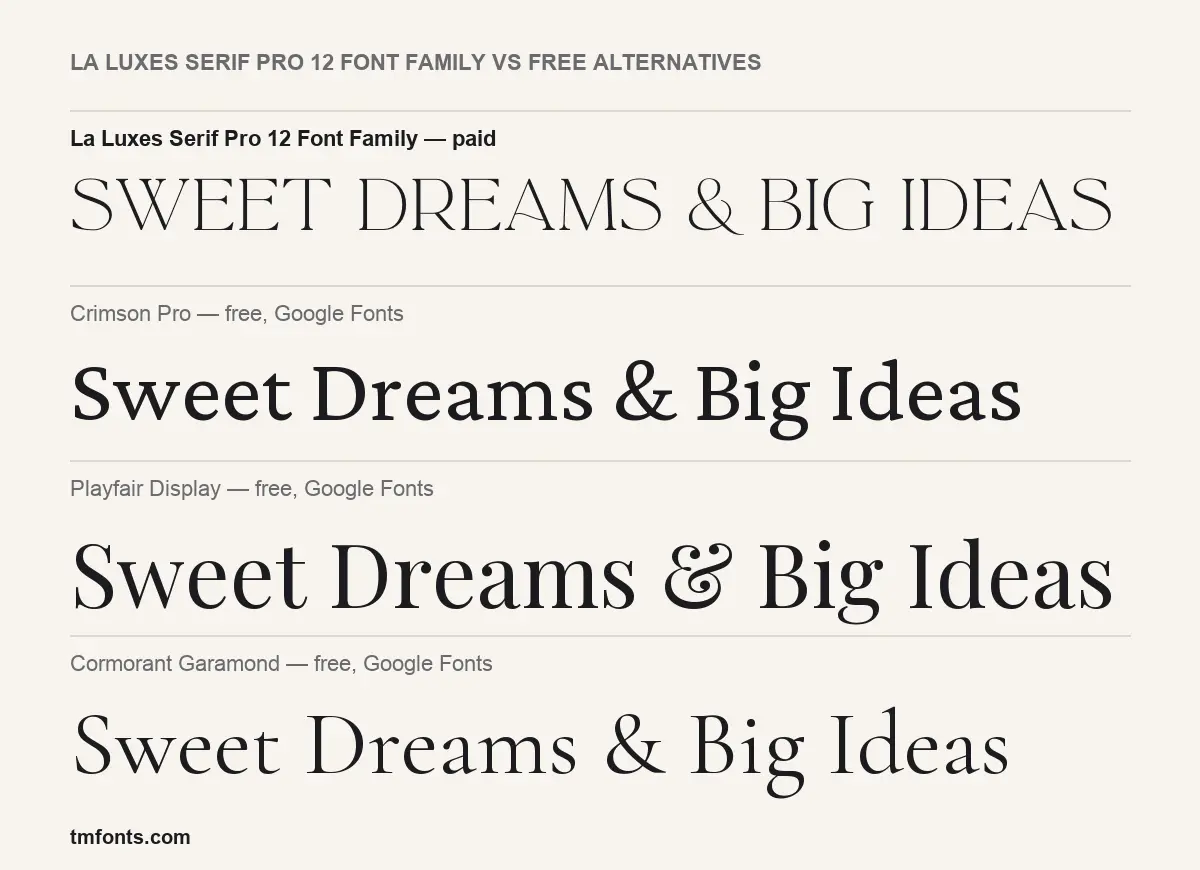
If a La Luxes Serif Pro 12 Font Family free download was the goal, these Google Fonts are free for commercial use and come with several weights and italics. None has La Luxes’ curved crossbars or long tails.
- Crimson Pro is a book serif with moderate contrast. In the comparison it looks darker and more traditional, and it reads far better in paragraphs.
- Playfair Display has the strongest contrast of the three and the most luxury-brand feel, but it is heavier and narrower than the light La Luxes Serif.
- Cormorant Garamond is the closest in spirit: light, delicate and elegant at large sizes, with a more classical, calligraphic shape.
La Luxes Serif Pro 12 Font Family FAQ
Is there a free version of La Luxes Serif Pro?
No. We found no official La Luxes Serif Pro 12 Font Family free download or demo file. Licences start at $69.
How is Serif Pro different from the original La Luxes Serif?
The original was one Serif style sold with a Script. Serif Pro expands it to six weights with matching italics.
Can I use the ligatures in Canva?
Only by copying PUA characters from a character map and pasting them in. Canva has no OpenType ligature controls.
Who designed La Luxes?
Set Sail Studios; MyFonts credits Sam Parrett.
What pairs well with it?
La Luxes Script for accents, and a quiet sans such as Mulish for body text.

Tmfonts writes independent reviews of typefaces: what each font does well, where it falls short, what it suits, and where it is sold.