
Hyperwave Font Free Download
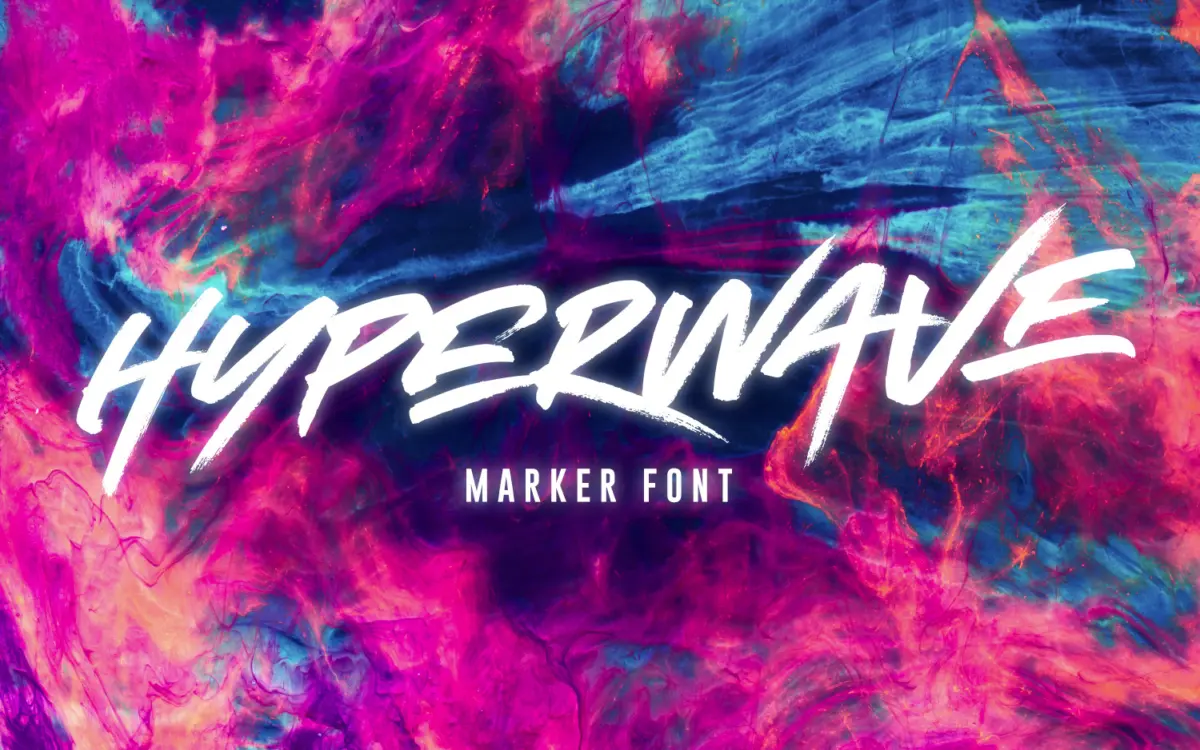
Before you go looking for a Hyperwave free download, know that the official answer is short: Set Sail Studios, the foundry run by designer Sam Parrett, sells Hyperwave and does not give it away. What you pay for is three complete brush alphabets that you can mix inside a single word, and the whole set costs $18 at MyFonts.
Hyperwave free download: what Set Sail Studios offers
The foundry keeps a free fonts section on its own shop, and we went through both pages of it in October 2026. Hyperwave is not there. The MyFonts page and the Creative Market listing also show no demo or personal-use version. A file labelled as a Hyperwave free download on a third-party site is not an official copy and comes without a licence.
Current official prices:
- MyFonts: $14 per style, or $18 for all three.
- Creative Market: Desktop licence $18 per seat for the three fonts; Webfont, E-pub and App licences cost extra.
- Fontspring: also carries the family, with Hyperwave One listed at $14.
- Envato Elements: Hyperwave is part of the subscription library, covered by Envato’s own licence terms.
The licence covers Hyperwave One, Two and Three as TTF files. Prices can change, so check before you pay.
Get Hyperwave — official listing
Hyperwave specimen and verified specs
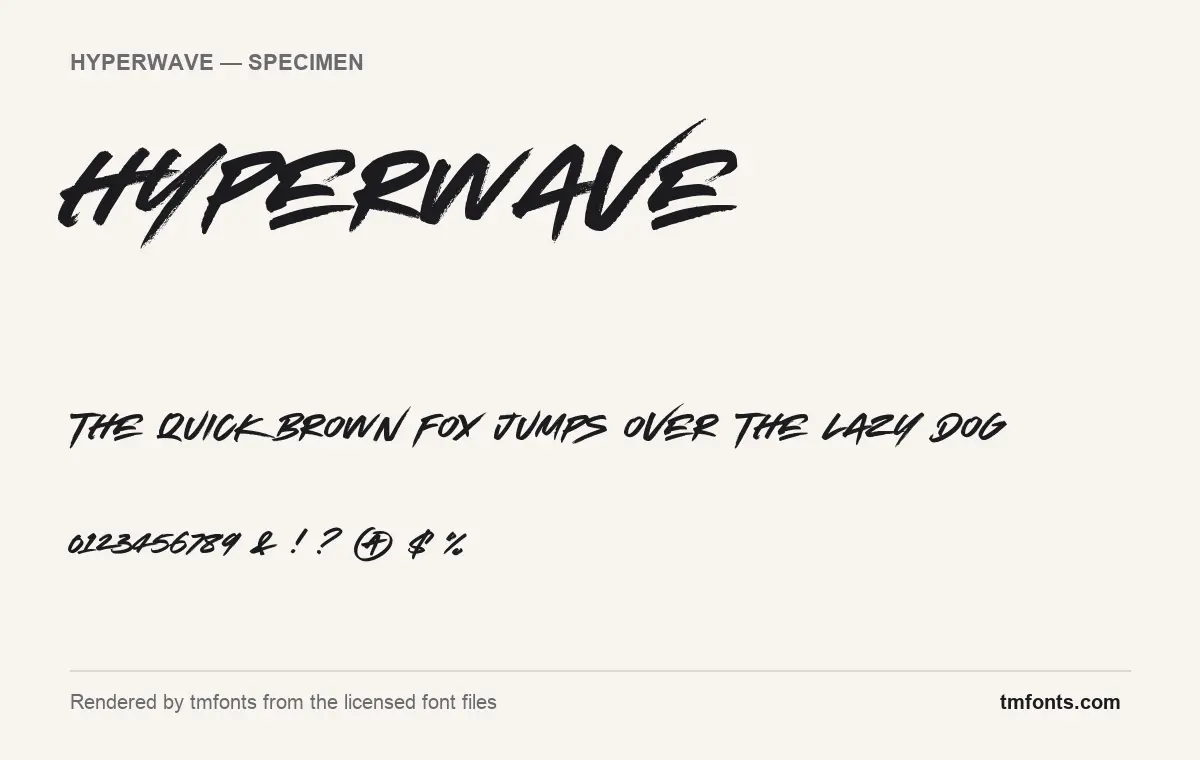
- Styles: 3 (One, Three, Two)
- File formats: TTF
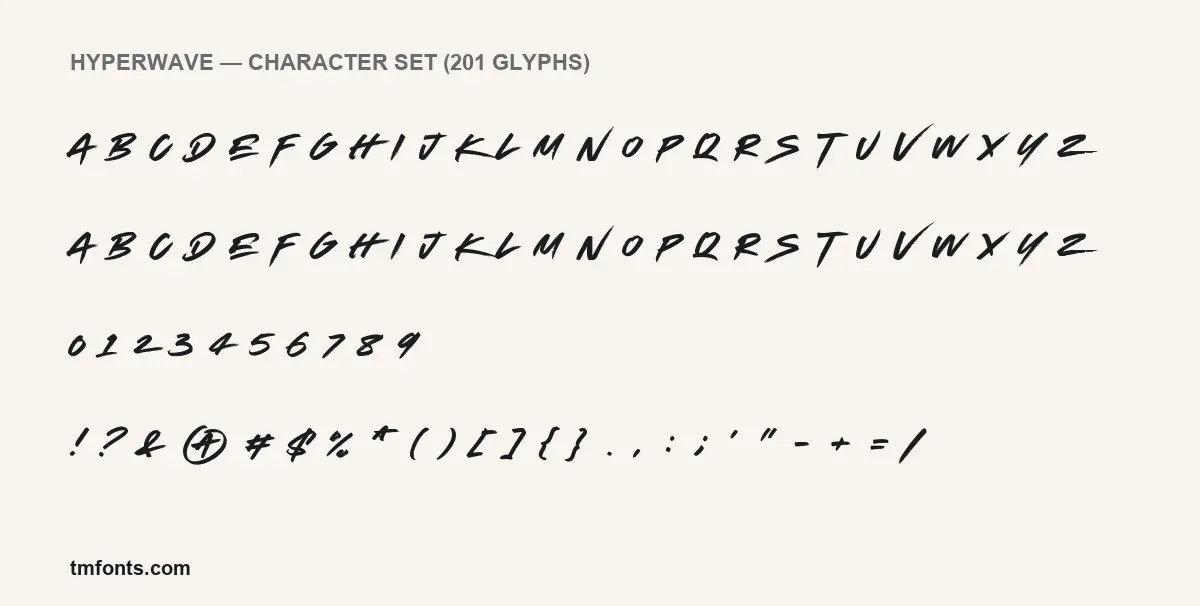
- Glyphs: 201
- Language support: Basic Latin (English), Western European
- OpenType features: discretionary ligatures
- Designer: Set Sail Studios
- Case: All caps (lowercase keys type capitals)
Checked by tmfonts from the licensed font files.
Fast strokes and a dry brush: the look
Hyperwave reads as quick, confident marker or brush lettering. In the specimens rendered from the licensed files, the strokes carry visible bristle streaks, especially at the start and end of each mark, and the whole alphabet is set at a steep italic angle. Letters don’t share a common height or width, so a word bounces along the line. In the large HYPERWAVE title, the V’s last stroke flies up well above its neighbours and the Y’s tail reaches down under the line, which gives the word a rough, zigzag silhouette.
Smaller characters are written in the same hurry. The figures 0 to 9 are compact and tilted, punctuation is little more than quick dabs, and the at sign is drawn as an A with a ring around it. There is no lowercase: the lowercase keys type the same capitals, which the charset image shows row for row.
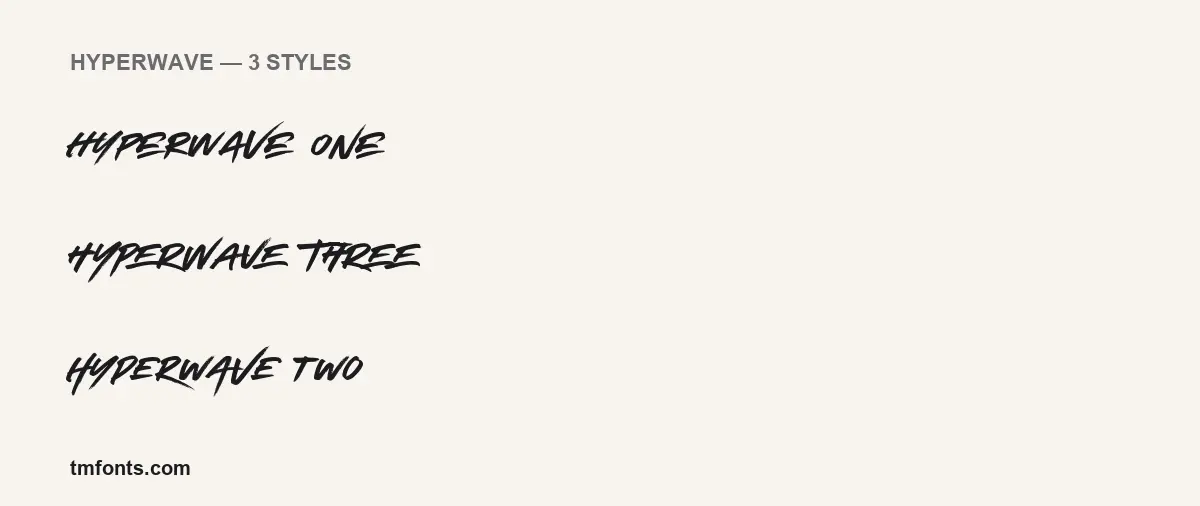
The styles image is where the family earns its price. The word HYPERWAVE set in One, Two and Three looks like three separate attempts by the same person: the W, A and V change angle and width, and the E’s arms change length. MyFonts describes it as “THREE sets of each letter, each equipped with distinctive fast brush strokes.”
Three fonts, one alphabet each
- Hyperwave One: the main font, with capitals, numerals and punctuation.
- Hyperwave Two and Three: alternative sets of capitals for the same letters, according to the listings.
- Format: TTF.
- Glyphs: 201 in Hyperwave One.
- Released: MyFonts gives a debut date of September 10, 2018; Fontspring lists 2018 as well.
To make a word look written rather than typed, set it in One and then change repeated letters to Two or Three. In a word like BETTER, giving each T and each E a different file removes the rubber-stamp effect you get when identical shapes sit side by side.
Languages and the one OpenType feature
The files cover Basic Latin and the Western European accented set. Fontspring’s listing names a longer list that also includes Indonesian, Filipino and Malay along with the major Western European languages.
The only OpenType feature in the files is discretionary ligatures, which are optional joined letter combinations. They are off until you turn them on in Illustrator or InDesign’s OpenType panel or Photoshop’s Character panel menu, and apps without OpenType controls won’t show them. No glyphs sit in the Private Use Area, so there is nothing hidden for Canva or Cricut users to dig out. The variety lives in the three separate fonts instead, and switching fonts letter by letter works in every app, Canva included.
Good jobs for Hyperwave, and partner fonts
The texture needs size to work, so the best jobs are short and big: a band or tour name, a T-shirt slogan, a sale banner, a YouTube thumbnail, a sticker. Beyond a short phrase the slant and streaks get tiring, and at small sizes the dry-brush edges turn into noise.
- Bebas Neue for tall, condensed supporting headlines; its straight, rigid capitals contrast well with the brush.
- Archivo for body copy, product details and website text.
- IBM Plex Mono for dates, prices and small labels with a gig-flyer or zine feel.
Paid licence, personal or commercial
Hyperwave has no free personal-use licence, so even a birthday flyer technically needs a paid one. Creative Market’s per-seat Desktop licence covers the usual design work: logos, printed matter, merchandise, and images for websites and social media. Fonts embedded in a website, e-book or app need the Webfont, E-pub or App licence. MyFonts and Fontspring each sell their own licence types for the same fonts. This is general information, not legal advice; the licence text in your download has the final word.
Setting up Hyperwave on Windows or Mac
- Windows: unzip, select Hyperwave One, Two and Three, right-click and choose Install.
- Mac: unzip, double-click each TTF and click Install Font, or drag all three into Font Book.
- Restart open apps. In Canva (paid plan), upload all three files so you can swap between them.
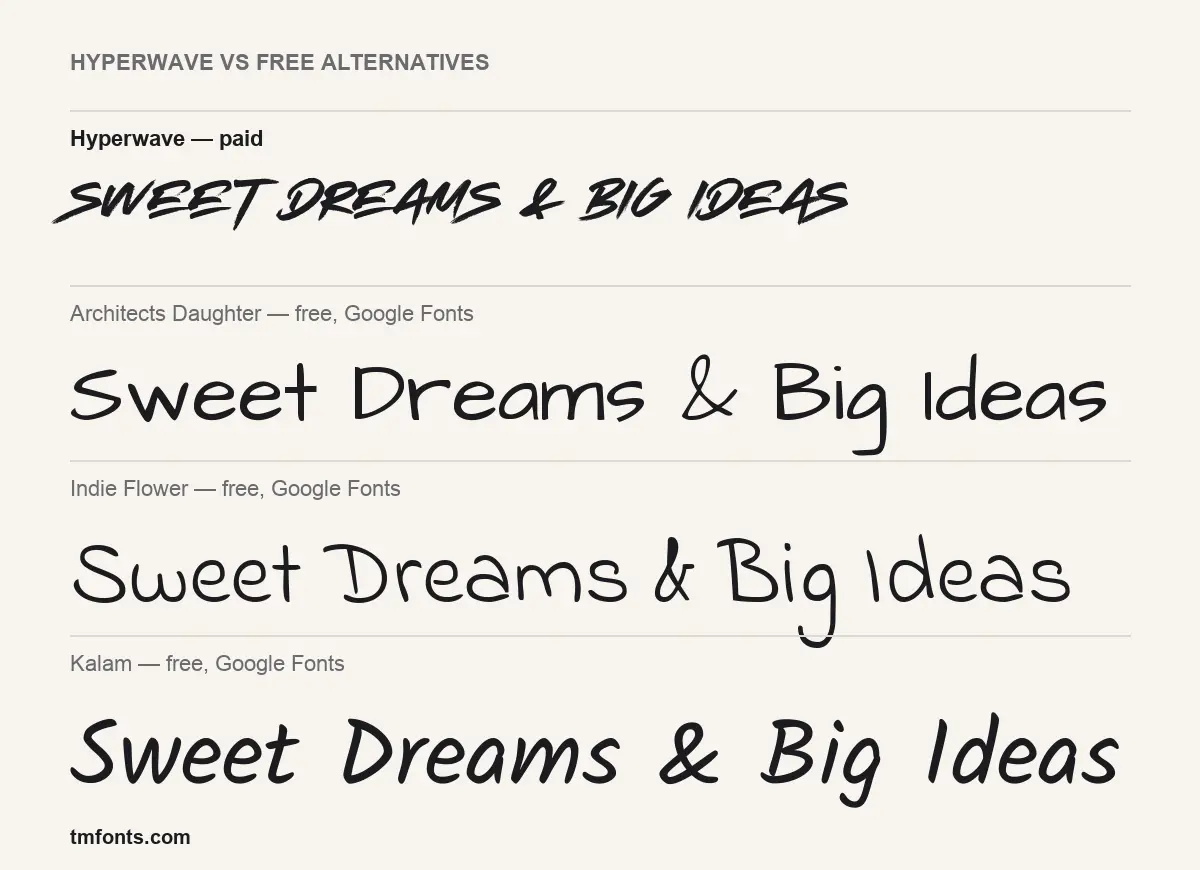
How the free picks compare: Architects Daughter, Indie Flower, Kalam
If you wanted a Hyperwave free download because the job has no budget, these three Google Fonts are free for commercial use under the SIL Open Font License. All three are pen handwriting with a lowercase, not brush lettering, so none has Hyperwave’s dry edges or speed.
- Architects Daughter: upright, rounded and tidy, like neat notes on a drawing. Friendly and readable, but it never looks rushed.
- Indie Flower: light, bouncy and loose, with tall ascenders. Playful rather than loud, and the weakest match for posters.
- Kalam: slanted and heavier than the other two, so it is the closest in movement. It also comes in three weights and stays legible in longer captions.
Quick answers about Hyperwave
Can I get Hyperwave free for a personal project?
No. Set Sail Studios gives away other fonts, but not Hyperwave, and there is no personal-use version. The full family costs $18.
How do I mix One, Two and Three?
Type the word in Hyperwave One, select single letters and change their font to Two or Three. Avoid repeating the same version twice in a row.
Can I write in lowercase?
You can type lowercase, but it comes out as capitals. Hyperwave is all caps in every style.
Is it good for cutting on a Cricut?
It installs and types normally, but the rough, streaky edges produce lots of tiny points, so large sizes and a test cut are a good idea.
Who made Hyperwave?
Sam Parrett, who publishes as Set Sail Studios. The font files credit Set Sail Studios.

Tmfonts writes independent reviews of typefaces: what each font does well, where it falls short, what it suits, and where it is sold.